How do you identify a hacked website? Traffic drops. Forms stop working. Browsers show warnings. Search visibility takes a hit. If you are looking for WordPress malware removal services in the UAE, the real issue is not just cleaning infected files – it is restoring trust, performance, and business continuity fast.
What WordPress malware removal services in the UAE should actually include
Many site owners assume malware cleanup means deleting a few suspicious files and moving on. That is rarely enough. In most cases, the infection is a symptom of a larger weakness, such as an outdated plugin, weak admin access, a vulnerable hosting setup, or poorly maintained theme files.
A proper service should start with an investigation. An experienced website provider in the UAE would identify how the compromise happened, what was affected, and whether the infection spread into the database, uploads folder, core files, or server configuration. Without that level of analysis, reinfection is common.
The cleanup itself should cover infected file removal, malicious code review, database inspection, backdoor detection, user account checks, and restoration of normal site behavior. If search engines or browsers have flagged the site, the provider should also guide the recovery process so the website can regain trust signals.
Just as important, the work should end with security hardening. That means closing the entry point, updating weak components, tightening permissions, securing login access, reviewing plugins, and setting up monitoring where needed. Cleanup without prevention is short-term relief.
The most common signs your WordPress site has been infected
Sometimes the warning is obvious. You visit your site and see spam pages, redirects, or broken content. Other times the signs are less direct and easier to ignore until the damage grows.
A sudden drop in rankings or organic traffic can point to hidden malware, especially if your content has not changed. So can strange popups, slow site speed, unfamiliar admin users, or hosting alerts about suspicious activity. You may also notice your emails landing in spam, your homepage redirecting on mobile devices, or pages appearing in search results that you never created.
Not every issue is malware. A plugin conflict can break functionality. A server issue can slow the site down. But if there is unexplained behavior combined with access anomalies or injected content, you need a serious review, not guesswork.

Why speed matters more than most businesses realize
The cost of waiting is usually higher than the cost of fixing the problem early. Malware does not just sit in one corner of the site. It can spread, create hidden admin access, inject spam, or damage files that affect site stability later.
For lead generation websites, every hour matters. If your contact form is broken or visitors see browser warnings, the site stops functioning as a sales asset. For e-commerce businesses, the stakes are even higher because checkout failures, redirects, or trust issues can directly impact sales.
There is also the reputational side. Customers may give you one chance. If they land on a hacked or suspicious site, they may not come back. Fast action protects more than files – it protects confidence in your brand.
What a reliable cleanup process looks like
First comes diagnosis. They verify the infection, review access points, and check the scope of the compromise. Then comes containment, which may involve isolating the affected site, changing credentials, and preventing further malicious activity.
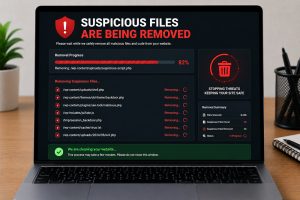
After that, the technical cleanup begins. This includes scanning and manually reviewing WordPress core files, plugins, themes, media directories, and the database. Manual review matters because automated tools can miss obfuscated code, hidden backdoors, and scheduled tasks designed to reinstall the infection.
The final phase is recovery and prevention. That includes updates, security hardening, account cleanup, backup verification, and testing. A good provider also confirms the website is functioning correctly after cleanup, not just technically clean.
This is where business experience matters. A malware removal service provider should understand that restoring a website is not enough if forms, analytics, page speed, or key sales pages are still broken afterward.
How to choose among WordPress malware removal services in the UAE
Not all providers approach security incidents with the same level of discipline. Some focus on quick scans. Others understand that malware cleanup affects SEO, conversions, customer trust, and operational continuity.
Look for a website security provider that can explain the problem in plain business terms. You should know what happened, what was fixed, what remains at risk, and what steps are recommended next. If the explanation is vague, the service probably is too.
It also helps to ask whether the cleanup is manual, automated, or a mix of both. Automation can speed up detection, but manual inspection is often necessary for serious infections. Ask whether they check the database, remove backdoors, review user accounts, and harden the site after cleanup.
Turnaround time matters, but so does thoroughness. A rushed fix may get the site back online while leaving the entry point open. On the other hand, an overcomplicated process that drags on for days can hurt the business. The right service balances urgency with precision.
Clear reporting is another sign of a professional website vendor. You should receive a breakdown of the issue, actions taken, and practical recommendations to reduce future risk.

The trade-off between one-time cleanup and ongoing support
A one-time malware removal service can be the right move if the problem is isolated and your site is otherwise maintained well. But for many businesses, cleanup is only one part of the issue. The bigger problem is inconsistent maintenance, outdated software, weak plugin management, or no monitoring.
That is where ongoing support creates value. If your website is central to lead generation, sales, or customer service, preventive maintenance is usually more cost-effective than repeated emergency fixes. Regular updates, backups, security reviews, uptime monitoring, and performance checks reduce the chance of another incident disrupting the business.
It depends on the role your website plays. A brochure site with minimal functionality has a different risk profile than a WooCommerce store, a membership platform, or a heavily customized lead generation website.
What business owners should do immediately after discovering malware
The first step is to stay controlled. Randomly deleting files, installing multiple security plugins, or restoring an old backup without checking the cause can make things worse.
Start by changing key passwords, especially for WordPress admin, hosting, database access, and FTP or file manager access. Preserve backups if available. Then get the site reviewed by a qualified specialist who can determine the infection scope before changes are made blindly.
If the website is critical to your sales pipeline, communicate internally so marketing, sales, and support teams know what is happening. That helps prevent confusion when leads slow down or pages become unstable. A practical response is always better than a panicked one.
The bigger issue is not malware – it is digital risk management
Malware incidents often reveal a broader operational gap. The site may have been built years ago, passed between developers, loaded with outdated plugins, and left without structured maintenance. The hack is what gets attention, but the underlying issue is unmanaged digital infrastructure.
For serious businesses, website security should sit alongside performance, usability, and conversion optimization. A website that brings in leads or revenue is part of your commercial engine. It needs the same discipline you would apply to any other business-critical asset.
That is why the strongest providers approach malware removal as part of a wider digital support model. They do not just clean infected code. They help stabilize the platform, reduce future exposure, and keep the website working as a growth asset.
If your WordPress site has been compromised, the right move is not simply to get it back online fast. It is to get it cleaned properly, secured properly, and managed with enough discipline that the same problem does not return a month later.