1. When Your Website Redirects Visitors to Unknown Pages
One of the clearest signs of a hacked website is an unexpected redirect. A visitor types your domain into a browser but lands on a suspicious shopping page, gambling site, fake login screen, or unrelated website instead.
Hackers often use redirects to profit from your traffic or send visitors to dangerous pages. The redirect may appear only on mobile devices, in search results, or to first-time visitors, making it easy for a business owner to miss during a quick website check.
Do not assume this is just a browser problem. You need urgent website recovery service from a professional website agency. A website expert should inspect your site files, database, server settings, and third-party scripts to find the source.
2. Google Shows a Security Warning
A browser warning such as “This site may be hacked” or “Deceptive site ahead” can stop a potential customer before they see your homepage. Even after the issue is fixed, the commercial damage can continue if the warning is not properly reviewed and removed.
This warning may mean that search engines detected malware, phishing behavior, harmful downloads, or injected spam content. It can also affect your organic visibility and paid advertising performance.
If this happens to you, it’s a clear indication that you need website recovery services immediately.
3. Your Website Has New Pages, Links, or Content You Did Not Create
Spam pages can appear without changing your homepage. You may discover strange blog posts, keyword-stuffed pages, foreign-language content, fake product listings, or hidden links to unrelated websites.
These pages are often created to manipulate search rankings using your domain authority. The threat is not only visual. Search engines may index the spam pages, causing your brand to appear connected to content you would never approve.
Watch for signs such as:
- New pages in your sitemap or search results
- Blog posts published under unfamiliar usernames
- Links to gambling, pharmaceutical, adult, or scam websites
- Product listings or discounts that your team did not add
- Sudden changes to page titles and meta descriptions
A proper recovery process includes removing malicious content and checking how it entered the site. Otherwise, spam pages can return days or weeks later.
4. Customers Report Strange Emails, Orders, or Account Activity
Your customers may notice a breach before you do. They may receive suspicious emails that appear to come from your domain, see unauthorized password-reset requests, or report orders and account changes they did not make.
Do not handle customer reports as isolated support tickets. Treat repeated reports as a potential security incident. Hire a developer to recover your website immediately. A web developer should review user accounts, email configurations, checkout extensions, forms, and server logs where available.
5. Your Website Is Suddenly Slow or Unstable
Slow performance is not always a hacking issue. It could be poor hosting, heavy images, plugin conflicts, or a surge in real traffic. But unexplained slowdowns can also indicate malicious scripts, bot activity, unauthorized file changes, or a server being used for tasks unrelated to your business.
Warning signs include frequent downtime, unusual hosting alerts, high CPU usage, database errors, or pages that take far longer than usual to load. Your hosting company may suspend the account if it detects harmful files or excessive resource use.
A website recovery service should investigate the cause instead of merely increasing hosting resources. Paying for a bigger plan will not solve an infection.
6. You Can’t Access Your Admin Panel
Being locked out of WordPress, your hosting panel, business email, or your domain account demands immediate attention. Attackers may change passwords, create new administrator accounts, alter recovery emails, or install backdoors that keep their access active.
Act quickly, but avoid repeatedly guessing passwords or making random file changes. That can complicate the recovery work and overwrite valuable evidence of what happened.
A qualified website developer can help recover your website and regain controlled access, review administrator accounts, reset credentials safely, and secure connected services. If your website was built with WordPress, WooCommerce, PHP, or custom code, recovery should match the platform rather than rely on a generic cleanup tool.
7. Your Hosting Provider Suspends Your Site for Malware
Hosting providers regularly scan for infected files, phishing pages, spam activity, and compromised scripts. If they suspend your website, it can feel sudden, but it is usually a warning that requires more than restoring a backup.
A clean backup is useful only if it was created before the infection and does not contain the same vulnerability. For example, restoring an old website with an outdated plugin, weak password, or insecure theme can lead directly to another compromise.
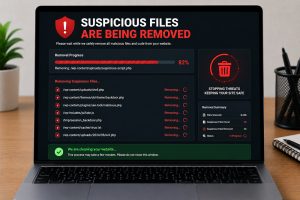
Professional hacked website recovery services should remove the malware, identify the entry point, update vulnerable components, harden access, and confirm that the site is safe before relaunching it.

What to Do When You Suspect a Website Hack
First, protect your business operations. Put paid campaigns on hold if ads are sending visitors to a compromised destination. Notify the right internal team members, save screenshots of warnings or suspicious behavior, and avoid publicly dismissing the issue before it has been assessed.
Then take these practical actions:
- Change passwords for hosting, domain, website administrators, business email, and connected payment accounts.
- Create a backup of the current website before major changes are made, if you can do so safely.
- Contact your hosting provider to understand any alerts, suspensions, or log information they can share.
- Ask a web developer to perform a full scan and manual review of files, databases, user accounts, plugins, themes, and server configurations.
- Check customer-facing forms, checkout pages, and contact emails for signs of tampering.
Do not rely on a single malware scan as proof that the site is safe. Automated tools can be useful, but sophisticated infections may hide in databases, scheduled tasks, modified core files, or abandoned extensions.

Reduce the Risk After Your Website Is Restored
Once your site is clean, ongoing maintenance becomes part of protecting your revenue. Keep your CMS, plugins, themes, and server software updated. Remove unused plugins and inactive user accounts. Use unique passwords and multi-factor authentication wherever possible.
Regular backups matter, but they should be stored separately and tested periodically. A backup that cannot be restored quickly is not a dependable recovery plan. It also helps to monitor uptime, security alerts, file changes, and website performance so issues are identified early.
Your website should support growth, not create uncertainty. If suspicious activity is affecting your website, ads, leads, or customer trust, Innomedia Technologies can help assess the issue, restore your website securely, and provide the ongoing support needed to keep your digital business moving forward.