A WordPress hack rarely announces itself with a dramatic warning screen. More often, it quietly redirects a potential customer, inserts spam into a page that ranks well on Google, or sends suspicious emails from your domain. Knowing the 8 signs of a hacked WordPress website helps you act before a technical issue becomes lost leads, damaged trust, and wasted advertising spend.

For a business website, security is not just an IT concern. Your site may be your sales team, booking channel, online store, and first impression all at once. If something feels off, treat it seriously and investigate quickly.
8 Signs of a Hacked WordPress Website
1. Your website redirects visitors to unfamiliar pages
A customer clicks your Google result and lands on a gambling site, a fake prize page, or a suspicious download prompt. This is one of the clearest warning signs of malicious code on a WordPress website.
Redirects can be inconsistent, which makes them difficult to catch. A hacker may configure the redirect to affect only visitors coming from search engines, only mobile users, or only people in a certain country. You may visit the website from your office and see nothing wrong, while potential customers see something completely different.
Do not assume it is a browser issue just because you cannot reproduce it immediately. Test on another device, use private browsing, and ask someone outside your network to check the site.
2. Google shows a security warning before your site loads
If visitors see a red browser warning, a “deceptive site ahead” message, or a notice that your website may harm their device, your reputation is already being affected. Google and browsers issue these warnings when they detect malware, phishing behavior, harmful downloads, or compromised content.
This can quickly reduce inquiries and sales. Even after the malware is removed, search visibility and customer confidence may take time to recover. A professional web developer should clean the infection, identify how it entered, and submit the site for a security review once it is safe.
3. Your WordPress admin access stops working
A sudden inability to log in can mean a simple password problem, but it can also point to a compromise. Hackers sometimes change administrator passwords, create their own admin users, or modify login settings to lock out the website owner.
Check whether unfamiliar user accounts have appeared, especially accounts with Administrator access. Also review user email addresses. A generic-looking account or an email address you do not recognize deserves immediate attention.
Avoid repeatedly guessing passwords or installing random recovery plugins. That can make the situation worse. Start by securing the hosting account and the email address connected to WordPress, since both can be used to reset access.
4. New pages, posts, or links appear without approval
Spam content is designed to hijack the authority your website has already earned. Hackers may publish pages promoting pharmaceuticals, adult content, cryptocurrency, loans, or unrelated products. They may also inject hidden links into existing pages, headers, footers, or blog posts.
Some of these changes are visible only to search engines, which is why business owners often discover them through a strange Google result rather than while browsing their own site. Search your business name along with suspicious keywords, and review indexed pages periodically.
Deleting the visible spam page is not always enough. The source code, database, theme files, or a compromised plugin may still contain the malicious script that created it.
5. Your website becomes unusually slow or unstable
A slow website does not automatically mean it has been hacked. Large images, poor hosting, excessive plugins, and heavy traffic can all affect performance. But unexplained slowness, server errors, sudden spikes in resource use, or frequent downtime can signal malicious activity.
Compromised sites are often used to send spam, host phishing pages, run hidden scripts, or attack other websites. These activities consume server resources and can cause your hosting provider to suspend the account without much notice.
If your website was performing normally and suddenly becomes unreliable, ask your hosting provider for access logs and error details. A website developer can use that information to separate a performance problem from a security issue.
6. Customers report strange emails from your business
Messages that appear to come from your domain but contain odd links, invoices, attachments, or payment requests can indicate that your website or business email environment has been compromised. This is especially serious for online stores and companies that collect customer inquiries.
It depends on your setup. The issue may be with WordPress, your hosting account, or your email provider rather than the website itself. Still, the immediate priority is the same: protect accounts, prevent further messages, and verify whether customer information has been exposed.
Change passwords from a clean device, enable multi-factor authentication where available, and do not dismiss customer reports. One suspicious email can be the first sign of a larger issue.
7. Unfamiliar files or plugins show up in WordPress
Unexpected plugins, themes, folders, or files are a major concern. Some hackers install backdoors that allow them to return even after you remove visible malware. Others disguise malicious files with names that sound legitimate or hide code inside an existing plugin or theme.
Review your installed plugins and themes against what your business actually uses. Inactive themes and outdated plugins are common entry points, particularly when they have not been maintained for months or years. Remove anything unnecessary, but be careful with custom-built functionality. Deleting the wrong files can break your forms, checkout process, or design.
This is where experienced support matters. A proper cleanup should preserve important website functions while removing the infection and closing the security gap.
8. Your hosting provider flags suspicious activity
A hosting company may notify you about malware, spam emails, infected files, unusual CPU usage, or outbound attacks. Do not treat this as a routine technical alert. It may mean your website has already been placed at risk of suspension.
Hosting scans are useful, but they do not always identify every infected file or explain how the problem began. A complete response includes reviewing WordPress core files, plugins, themes, the database, user accounts, scheduled tasks, and server settings.
If your site processes orders or captures leads, act before an account suspension turns into a full business interruption. Back up what you can, but do not assume an old backup is clean. Malware can sit unnoticed for weeks before it becomes visible.

What to Do If You Suspect a WordPress Hack
Speed matters, but random fixes can destroy useful evidence or leave a hidden backdoor behind. Start by documenting what you see: screenshots of redirects, error messages, suspicious URLs, hosting notices, and strange user accounts. Then, change the passwords for WordPress, hosting, database access, domain management, and any connected email accounts.
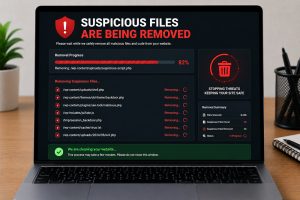
Next, put an experienced web developer in charge of the cleanup. The goal is not merely to make the homepage look normal again. The site requires a comprehensive malware scan, removal of malicious code, review of users and files, updates to WordPress components, and security hardening to minimize the risk of reinfection.
For businesses that depend on their website for leads and revenue, ongoing maintenance is often the more cost-effective choice. Regular updates, backups, security checks, and performance monitoring can catch problems before customers do. Innomedia Technologies helps businesses restore compromised WordPress websites and keep their online platforms secure, supported, and ready to grow.
Your website should be working to earn trust every hour of the day. If a redirect, warning message, or unexplained performance drop raises questions, get it checked before the problem reaches your customers.