
A business website is not a one-time project. Once it is live, it needs consistent technical attention to stay secure, fast, visible, and ready to convert visitors into customers. The WordPress maintenance tasks covered by a web developer go far beyond clicking an update button. They protect the investment you have made in your website, online store, and digital marketing campaigns.
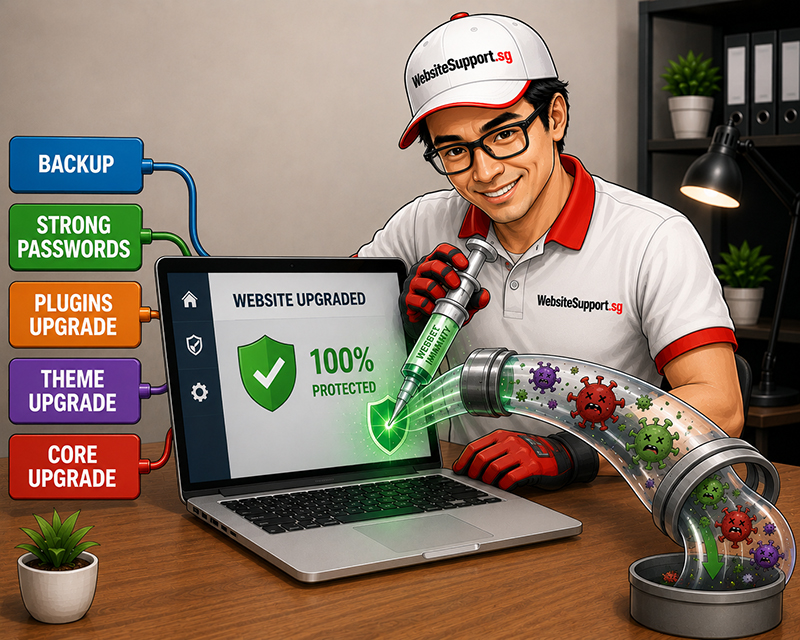
For a startup, service business, or growing eCommerce brand, neglected maintenance can lead to slow pages, broken contact forms, checkout failures, security warnings, and lost leads. A qualified web developer in the UAE keeps those risks under control while giving your business the support needed to grow online with confidence.
What WordPress Maintenance Tasks Include
WordPress is flexible because it uses a core platform, themes, plugins, hosting settings, databases, and often third-party tools such as payment gateways or email systems. Every component needs to work together. A developer manages that technical ecosystem instead of treating maintenance as a checklist of random updates.
The exact scope depends on your website. A five-page company site has different needs than a WooCommerce store processing daily orders. However, professional WordPress maintenance commonly includes the essential work below.
#1 Safe WordPress core, theme, and plugin updates
Updates close security gaps, fix bugs, improve compatibility, and sometimes add useful features. But updating without a process can create a new problem. A plugin may conflict with your theme, a payment tool may stop working, or a layout may change unexpectedly.
A web developer first reviews what needs updating, creates a backup, applies updates carefully, and tests key pages afterward. For a business website, testing should include the homepage, contact forms, lead forms, calls to action, mobile display, and any pages connected to advertising campaigns.
For eCommerce websites, the developer should also check product pages, cart functionality, checkout, discount codes, shipping rules, tax settings, payment processing, and order emails. One broken checkout field can cost more than months of maintenance.
#2 Website backups and recovery planning
Backups are your safety net when something goes wrong. A reliable developer does not only create backups. They make sure backups are stored securely, scheduled appropriately, and available for restoration when needed.
A strong backup approach usually covers four areas:
- Regular full-site backups, including files and the WordPress database
- Off-site storage separate from the live hosting account
- Backup frequency based on how often your website content or orders change
- Periodic restoration testing to confirm the backup actually works
A brochure website may only need daily or weekly backups. A busy online store may require more frequent backups because new orders, customer details, and inventory changes must be protected. This is one area where a low-cost, one-size-fits-all plan can create unnecessary risk.
#3 Security monitoring and malware protection
WordPress is a popular platform, which also makes it a common target for automated attacks. Outdated plugins, weak passwords, unsecured forms, and poorly configured hosting can leave a site exposed.
A web developer helps reduce the risk by monitoring suspicious activity, removing unnecessary plugins, applying security patches, strengthening administrator access, and reviewing user accounts. They may also configure security tools, firewall rules, malware scans, spam protection, and login safeguards.
If a website is already compromised, a website developer should investigate the source of the infection rather than simply deleting visible malicious files. Proper malware removal includes cleaning infected code, checking the database, removing backdoors, updating vulnerable software, and securing the site so the problem does not return.
#4 Speed optimization and performance checks
A slow website weakens user experience, search visibility, and paid advertising results. When visitors wait for pages to load, they leave before they call, submit a form, or buy a product. Speed is not just a technical metric. It directly affects lead generation and sales.
Maintenance performance work may include image compression, cache management, database cleanup, plugin review, code optimization, hosting checks, and mobile speed testing. A developer can also identify unnecessary scripts that slow down landing pages used for Google Ads or social media campaigns.
There is a balance to consider. Adding too many optimization tools can create conflicts or break functionality. The right solution is not always more plugins. Often, it is smarter configuration, cleaner code, and a better understanding of what your specific website needs.
#5 Contact forms, emails, and conversion paths
A web developer should test the paths that matter most to your business. This includes contact forms, quote requests, newsletter signups, phone links, WhatsApp buttons, booking tools, and thank-you pages.
They should also confirm that form submissions reach the right inbox and that email delivery is properly configured. If your sales team never receives a lead, your website is not doing its job, no matter how attractive the design looks.
For campaigns, developers can verify that landing pages load correctly, tracking scripts are active, and conversion events are firing. This matters when you invest in paid advertising and need accurate data to measure cost per lead and return on ad spend.
#6 WooCommerce store maintenance
WooCommerce maintenance requires closer attention because your website is handling transactions and customer information. In addition to routine updates, developers should watch for payment gateway changes, shipping calculation errors, inventory sync problems, broken product variations, and tax configuration issues.
A professional maintenance process can also include reviewing failed orders, checking abandoned-cart integrations, testing transaction emails, and confirming that checkout works on both desktop and mobile. If customers cannot complete an order quickly, they will often buy from a competitor instead.
#7 Database cleanup and technical housekeeping
Over time, WordPress databases collect revisions, spam comments, temporary records, unused data, and expired transients. This can affect performance and make the site harder to manage. Developers clean up this clutter carefully, without removing records your business needs.
Technical housekeeping may also involve removing unused themes and plugins, reviewing broken links, checking redirects, renewing SSL certificates, monitoring uptime, and confirming that domain and hosting settings remain active. These tasks may sound routine, but missing one can take a website offline at the wrong time.